Rebuilt command menu and instant navigation
 Sean DubbFounder, Easel.sh
Press ⌘K (Ctrl+K on Windows and Linux), or select the search button in the sidebar, to jump anywhere in the dashboard. The menu is rebuilt so results are easier to scan, and moving between dashboard pages no longer waits on a blank screen.
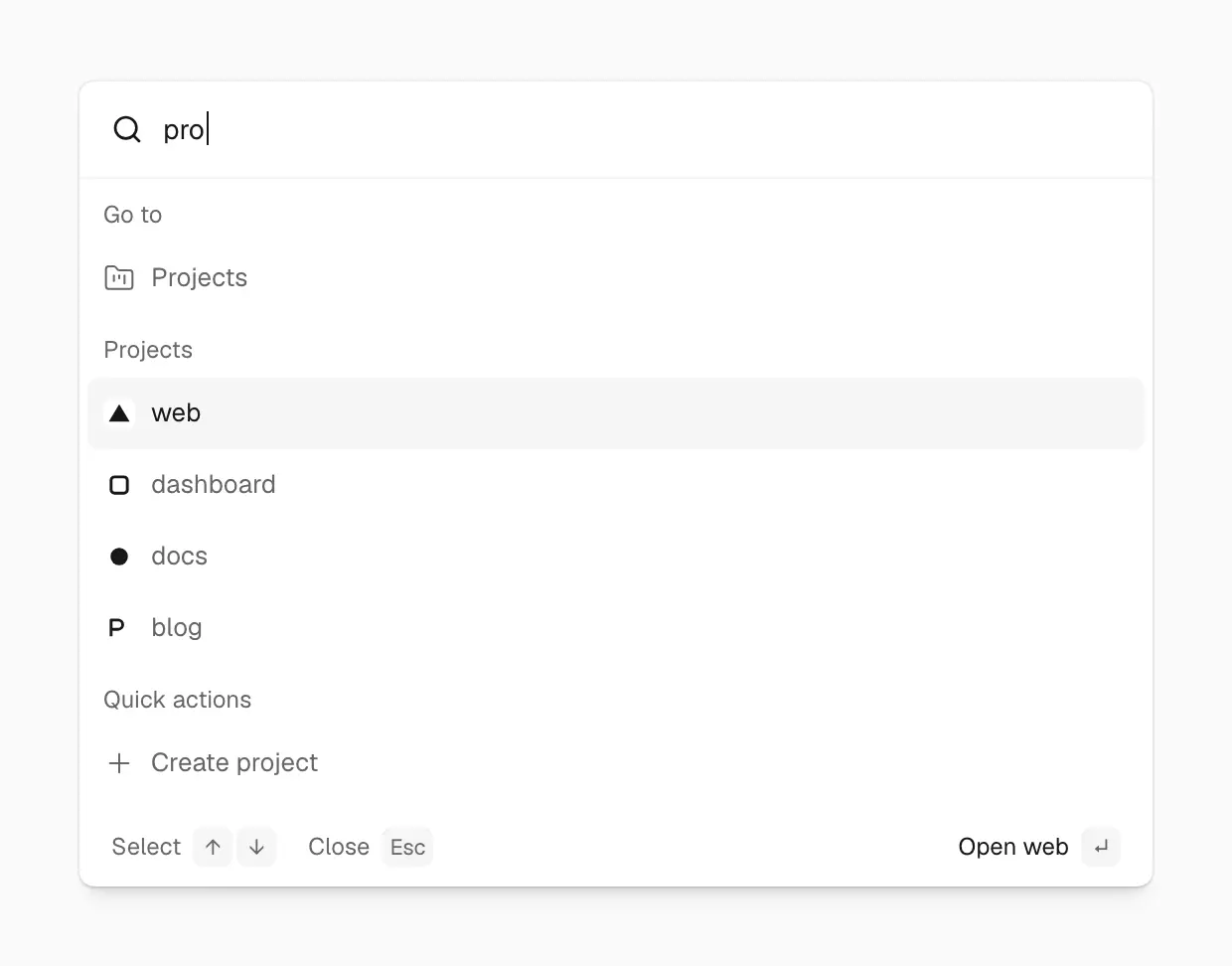

Type a few letters and ⌘K narrows pages, projects and actions in place, with Enter’s action named in the footer
What you can find
Results are grouped by what they open:
- Deployment: the tabs of the deployment you’re viewing
- Go to: the pages of the current project, or of your workspace
- Projects: every project in the workspace
- Workspaces: switch to another workspace
- Quick actions: Create project, Create workspace, Workspace settings, and Project settings when you’re in a project
Easier to scan
Each result fits on one line, and a highlight follows your pointer or the arrow keys. As you type, results filter in place and keep their groups. The footer shows the keys you can use and names what Enter does for the highlighted row, such as “Open Deployments”.
Instant navigation
Workspace, project, and deployment pages now render a loading skeleton that matches the page’s layout as soon as you click, then fill in as data arrives. Moving between pages feels immediate, even when the data takes a moment.