Easel DNS
 Sean DubbFounder, Easel.sh
You can now host a domain’s DNS on Easel. Point its nameservers at ns1.easel-dns.com and ns2.easel-dns.com, and Easel answers for the whole zone: records for connected projects, plus your own MX, TXT, and other records.
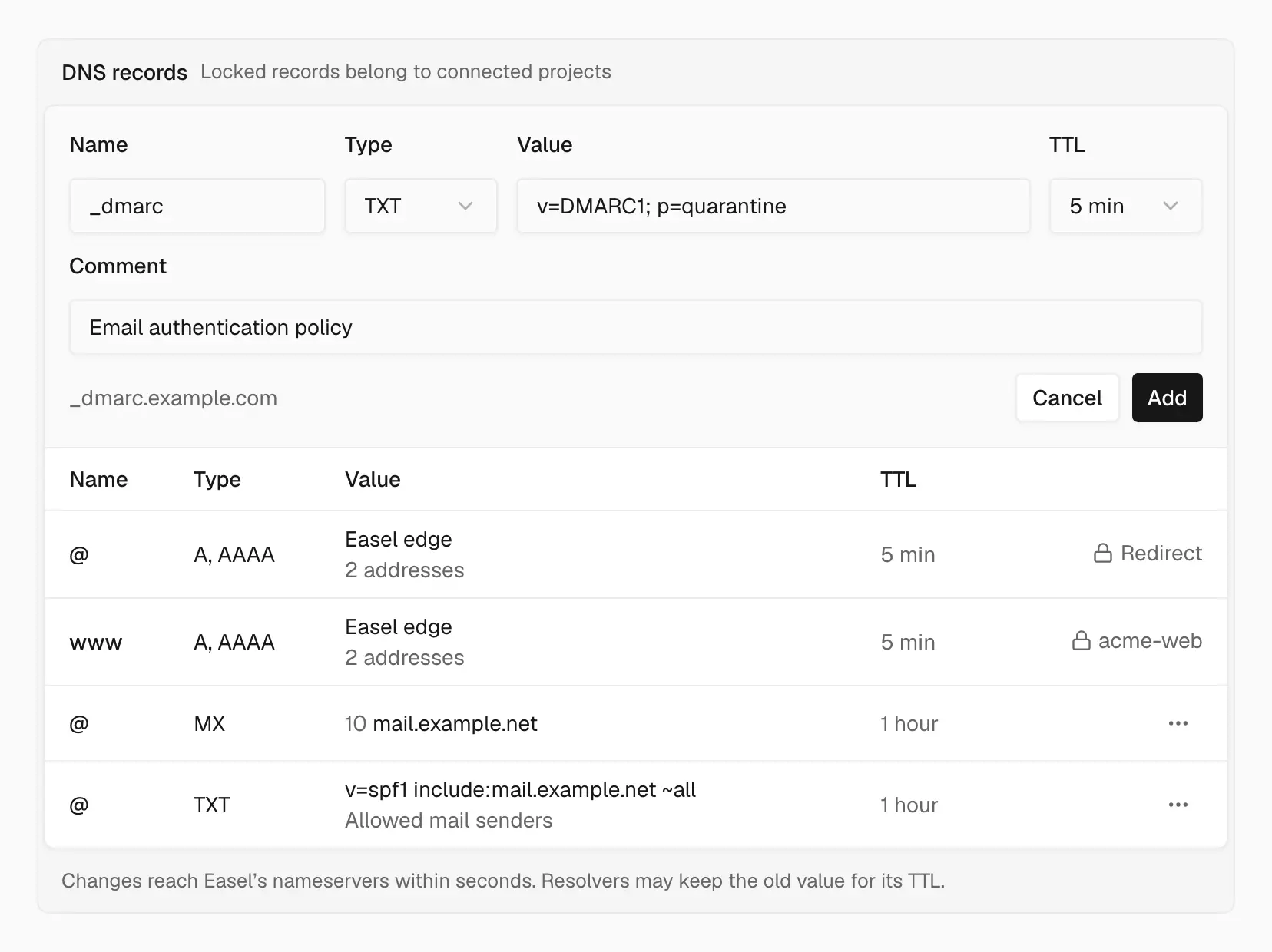
Add and edit records in place; the ones your projects need are managed for you
Domains page
Open Domains in the workspace sidebar and choose Add Domain. The page shows:
- Needs attention: domains still waiting on nameservers after a day, and certificates that failed to issue, with Check Again and Retry actions
- Domain list: search and filter by status or project, with each domain’s status, connected projects, and a summary of its records
Domain detail
Open a domain to manage it in one place:
- Nameservers: setup steps that match the domain. For a registered domain, you replace the nameservers at your registrar. For a subdomain, you add NS records where the parent domain’s DNS lives, and the rest of the parent stays where it is.
- Connected projects: choose Connect Project to serve a hostname from a project, or to redirect it to another hostname. Easel adds and removes the A and AAAA records for you. Disconnect removes them.
- DNS records: choose Add Record, edit rows inline, and add a comment to explain what each record is for. A deleted record stays in the table, struck through, with Undo until you leave the page.
Remove domain lists the hostnames it affects before you confirm.
Attach from a project
When you add a domain in Project settings → Domains, you can keep DNS at your current provider (External DNS, the default) or select Use Easel’s nameservers for DNS. Recreate your email records in Easel DNS before you switch nameservers.
See Add a domain.