Project Firewall page
 Sean DubbFounder, Easel.sh
You can open Firewall from any project to see what the firewall is doing, what needs your attention, and every rule and protection in one place. The page refreshes every 30s without moving what you’re reading.
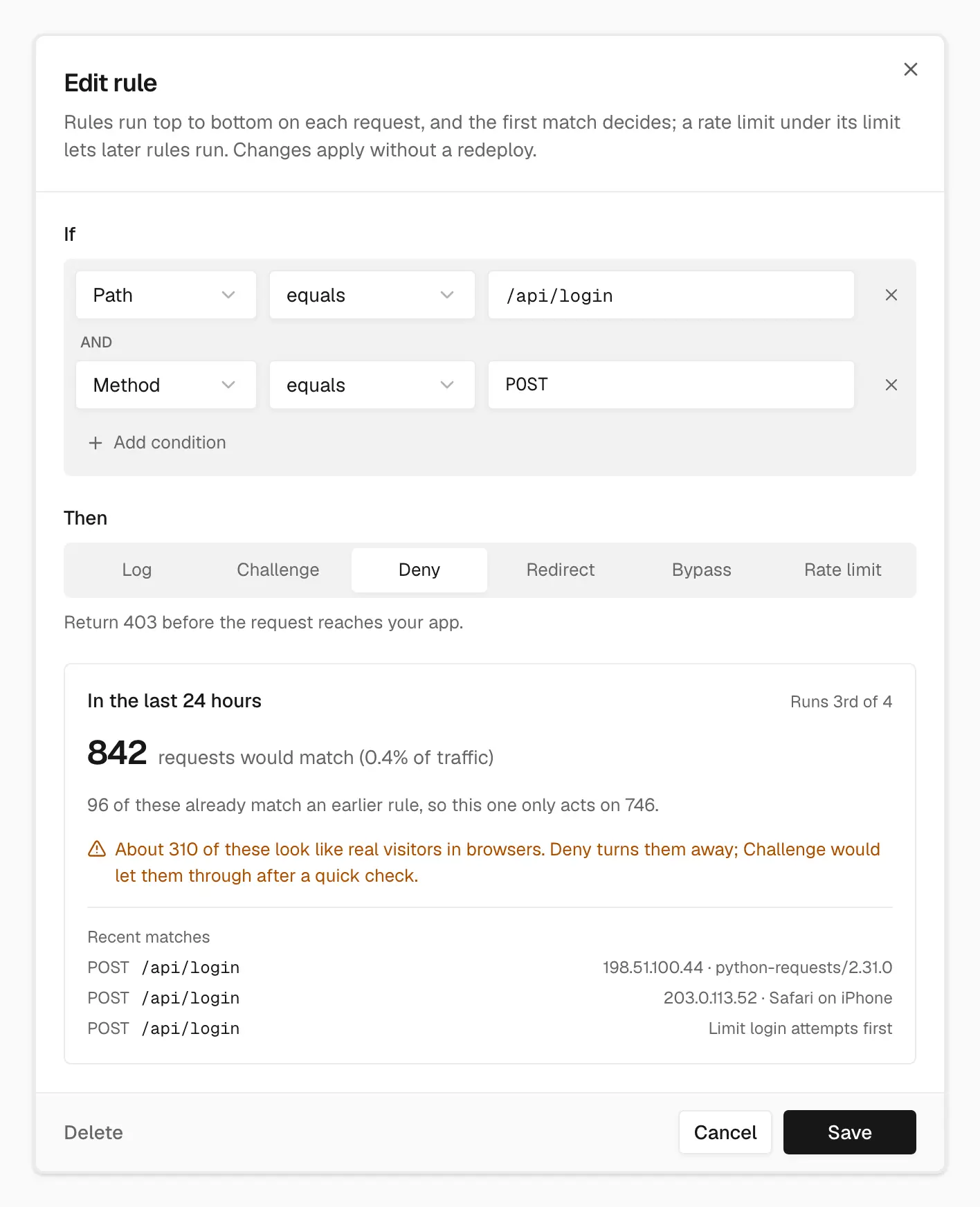
The preview tests a rule against the last day of requests and warns you before it turns away real visitors
Needs attention
Needs attention lists problems with a suggested fix and a Why this? note that explains what triggered it:
- A traffic surge on the project
- A rule that’s letting a surge through
- Attack challenge that’s ending soon or has been on a while
- Scanner probes that no current rule covers
Items you act on stay checked off until you dismiss them. You can dismiss anything and bring it back later.
Traffic and mitigated requests
Traffic charts requests by action over 1h, 24h, or 7d. Top sources shows where traffic comes from. Mitigated requests lists what the firewall acted on. New arrivals wait behind a Show link, and each request opens a sheet with Open in Logs.
Protections and custom rules
Protections holds attack challenge, with an optional end time, and Let verified bots through. Custom rules shows each rule’s hit count, and you can move rules up or down, switch them off, or delete them with Undo.
The rule editor checks your draft against the last 24 hours of requests at its position in the list. It shows how many requests would match before you save.
Recent changes
Recent changes shows who changed rules or attack challenge, and when.
See Firewall and Attack challenge mode.