New Usage and Billing pages
 Sean DubbFounder, Easel.sh
The workspace Usage and Billing pages are redesigned. Usage shows what each project, product, and region uses this cycle, and Billing shows your plan, the upcoming invoice, and your payment details in one place.
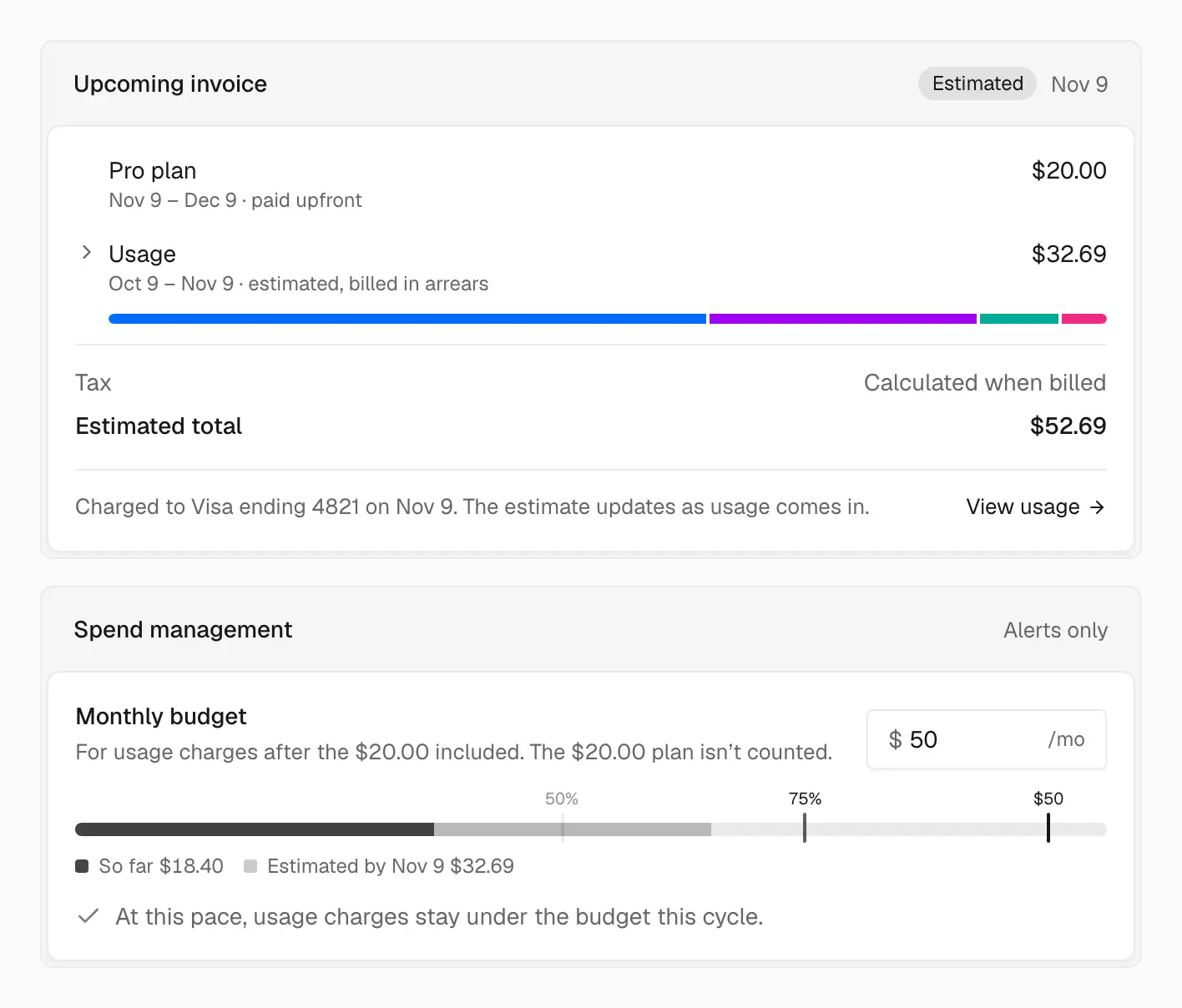
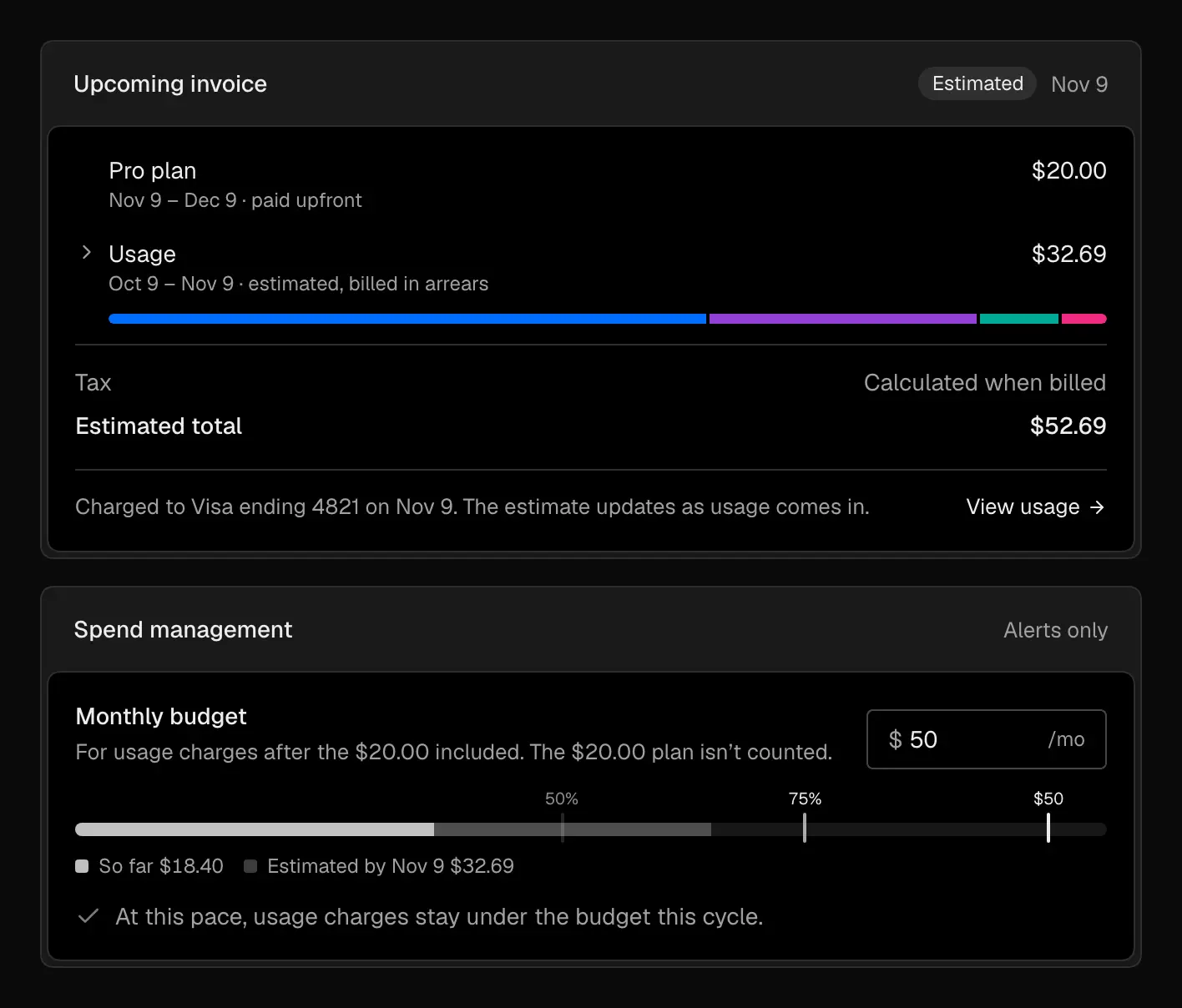
See what this cycle will cost, and the budget it counts against, on one page
Usage
Switch between daily and cumulative totals for the billing cycle, and filter by project or product. On Pro, the estimate nets the $20 of included usage, so it matches the invoice you’ll get at the end of the cycle. On Hobby, the page opens on the allowance closest to its limit.
Billing
The Billing page shows:
- Plan: your current plan, with Upgrade to Pro to pay by card, or Change plan to downgrade to Hobby at the end of the cycle
- Upcoming invoice: the plan charge and usage charges so far, with an estimated total
- Spend management: a monthly budget for usage charges on Pro
- Payment: your card, billing email, company address, and tax ID
- Invoices: past invoices to download
Spend budget
Set a Monthly budget and pick Email alerts at 50%, 75%, and 100%. Owners and the billing email get one email per mark each month. Turn on Pause sites at the budget to stop sites serving and block deploys once charges reach it, until you raise or remove the budget or the next cycle starts. The dashboard stays available.
Hobby limit emails
On Hobby, owners get an email as each allowance passes 50%, 75%, and 90%, and again if sites pause at 100%. Each email links straight to the plan picker so you can upgrade.