Workspace settings and workspace access tokens
 Sean DubbFounder, Easel.sh
You can manage your workspace from Settings in the workspace sidebar. Access tokens now belong to one workspace, so existing CLI logins need to sign in again.
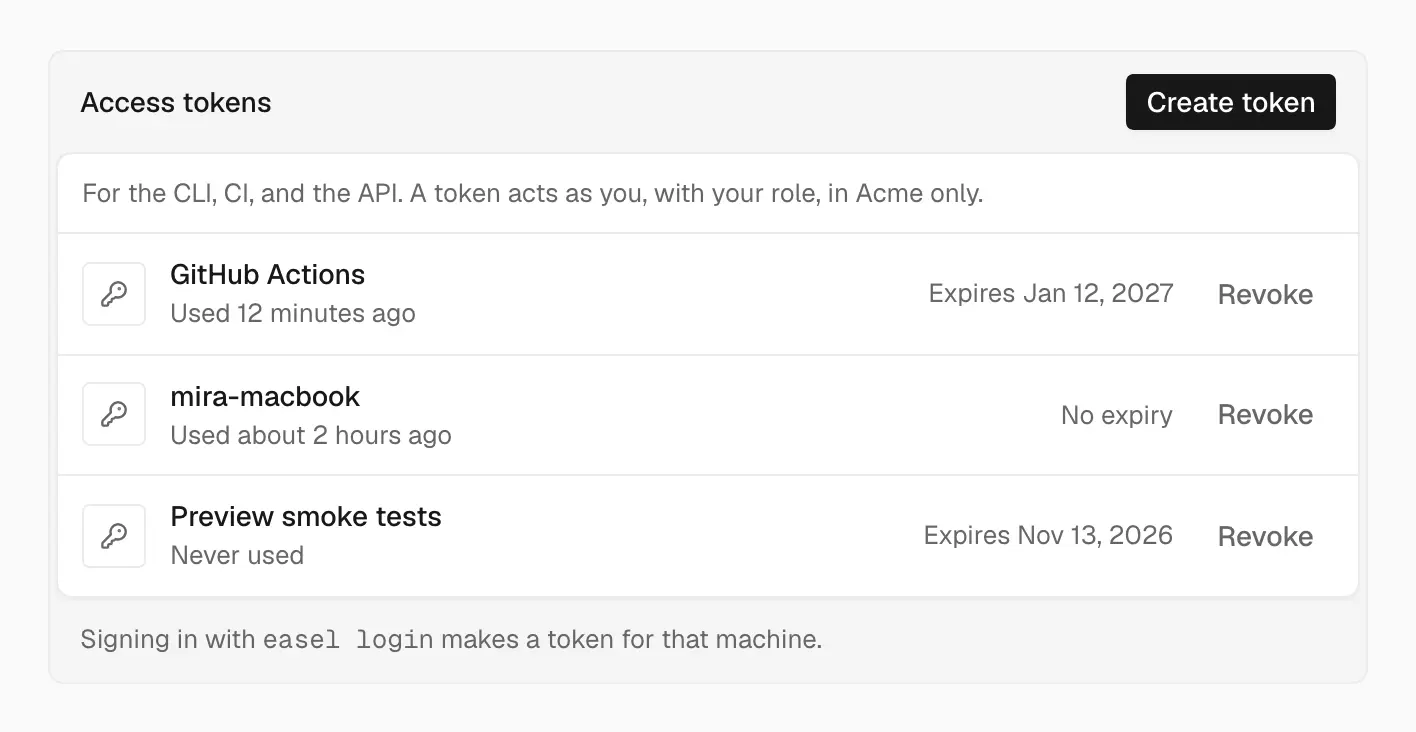
See every token that can act as you, when it was last used, and when it expires
Settings pages
Workspace settings have five pages:
- General: name, URL, avatar color, workspace ID, Leave workspace, and Delete workspace
- Members: invite people by email with a role, change roles, remove members, and resend or revoke pending invitations
- Environment Variables: add shared variables and pick the projects that link them
- Git: the GitHub accounts you’ve connected, with Add account and Configure
- Access Tokens: create and revoke tokens for the CLI, CI, and the API
The link in an invitation email opens a page where the invitee can accept or decline.
Workspace access tokens
When you create a token, Easel shows the secret once, so copy it before you close the dialog. Each token works in the workspace you created it in and can’t reach another workspace’s projects or deployments.
Sign in to the CLI again
Tokens from before this change aren’t tied to a workspace, and Easel rejects them. Run:
easel login asks which workspace to use. Tokens it creates also appear in Access Tokens, where you can revoke them. If CI uses EASEL_TOKEN, create a new token in Access Tokens and replace it.
See Workspace security and Easel CLI.