Security
Workspace security
Control who can change Easel projects, production, and sensitive settings.
Workspace roles decide who can deploy, change settings, and manage members. Give each person the lowest role they need.
Roles
Manage roles in Workspace settings → Members.
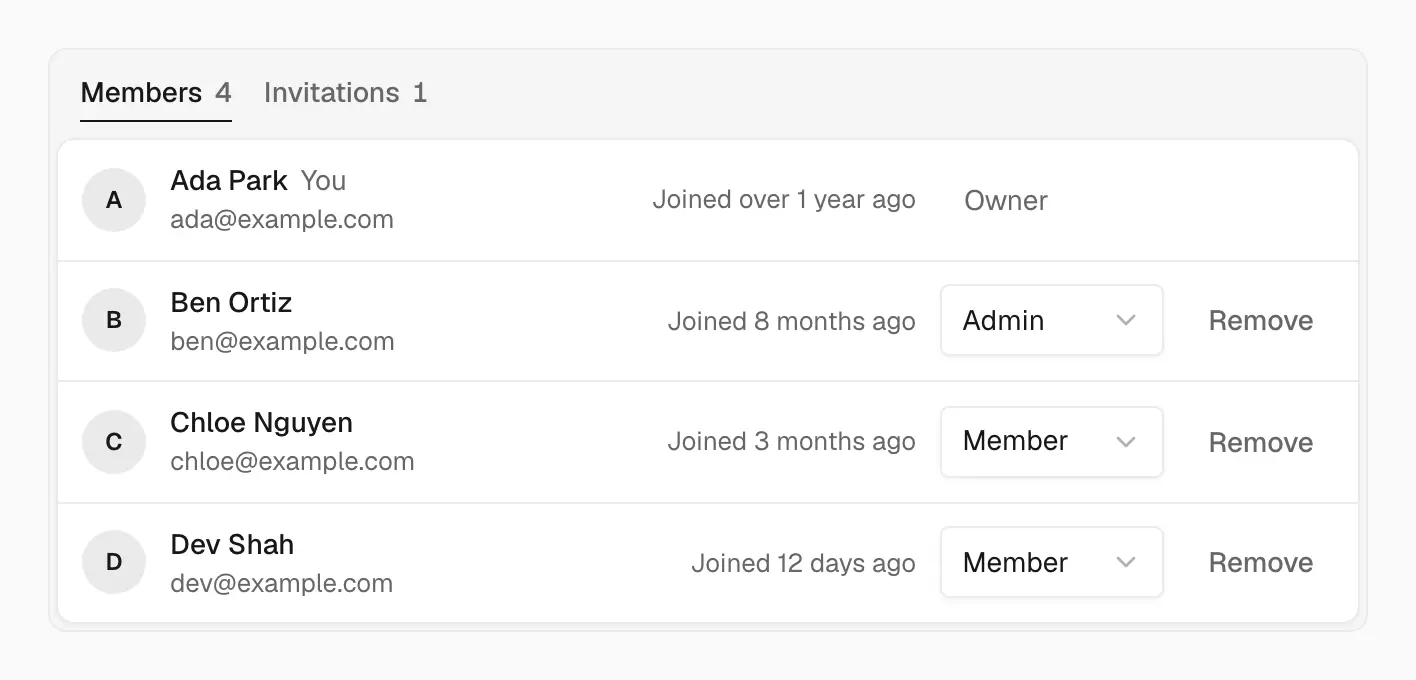
Change a role from the menu in that person's row
| Role | Access |
|---|---|
| Owner | Everything, including billing and deleting the workspace |
| Admin | Manages members and every project's settings |
| Member | Deploys and changes project settings |
Only owners can make someone an admin or owner. Admins can't change or remove an owner, and nobody can change their own role.
High-impact actions
These changes affect production or access, so limit who can make them:
- Viewing or editing environment variables
- Changing domains
- Turning on attack challenge mode or editing custom rules
- Promoting or rolling back production
- Deleting projects
- Managing members and billing
- Creating access tokens
Access tokens
Create tokens for the CLI, CI, and the API in Workspace settings → Access Tokens. A token acts as you, with your role, in that workspace only, so a token made by an owner can do anything an owner can.
- Give each token a name that says where it's used, so you know what to revoke.
- Choose an expiry instead of Never unless the token is managed and rotated elsewhere.
- Revoke tokens you no longer use, and revoke and replace a token right away if it leaks.
If an account is compromised
- Revoke the account's access tokens.
- Rotate any environment variables the account could read.
- Review Members and remove anyone you don't recognize.
- Contact
security@easel.sh.