UI blocks
Copy-paste React components for your users' publish flow, history, domains, and usage, and how to wire them to your backend.
The reference app includes React components for the parts of your product your users see: publishing, history, domains, and usage. They're optional and meant to be copied, not installed.
Each block takes data and callbacks as props and imports nothing from the SDK. Your own code fetches the data from your backend and decides what each button calls, so the blocks work with any backend, and your Easel token never reaches the browser.
Get the blocks
The blocks come with the reference app builder, which we share when we set up
your integration; talk to us to get it. Copy the files you need
from its components/easel/ folder into your app, along with the "Easel
blocks" section of its app/globals.css, then restyle them to match your
product.
The reference app's components/publish-menu.tsx shows the wiring: it calls
the app's own routes under /api/apps/:appId/, each a few lines over the SDK.
Publish panel
publish-panel.tsx draws the Publish button and the progress through
Packaging, Uploading, Building, and Live, with the build log
while it builds and the URL to open or copy once it's live.
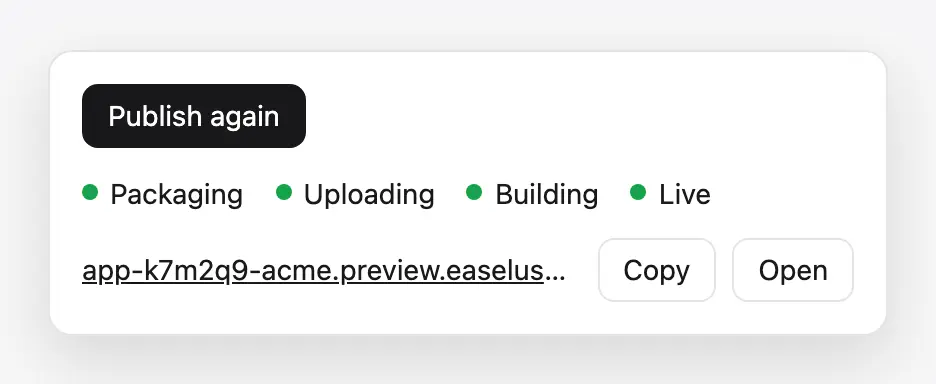
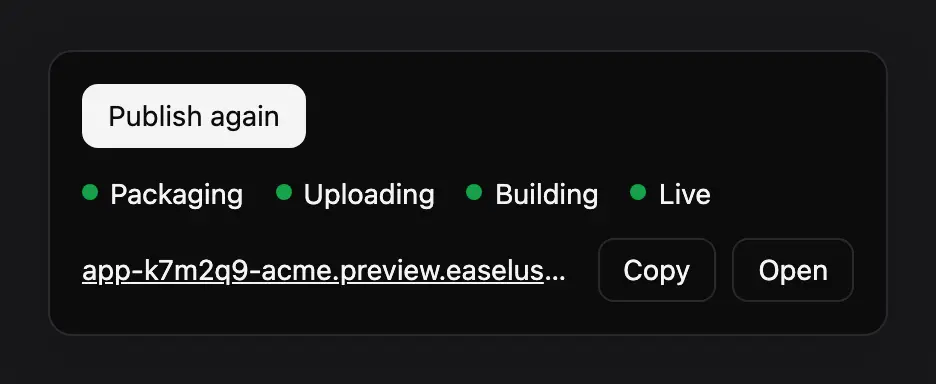
The panel shows each step of a publish, then the live URL
| Prop | Type | Description |
|---|---|---|
step | "idle" | "packaging" | "uploading" | "building" | "live" | "error" | The step to show |
logs | string[] | Build log lines, shown while step is "building" |
url | string | null | The published app's URL, once live |
error | string | null | Shown when step is "error" |
disabled | boolean | Optional. Disables the button |
onPublish | () => void | Called when the user selects Publish |
You own the state. Set step from your publish route's progress, then
follow the build with a webhook or by polling,
and pass deployments.logs() lines as logs.
Deployment history
deployment-history.tsx lists past publishes, newest first, marks the one
that's live, and offers Roll back on each other Ready one.
| Prop | Type | Description |
|---|---|---|
deployments | DeploymentRow[] | { id, status, createdAt, url, live } for each publish |
onRollback | (deploymentId: string) => Promise<void> | Roll production back to this deployment |
Wire onRollback to a route that calls deployments.rollback().
Custom domain
custom-domain.tsx lets a user give their app a domain in one of two modes:
- Subdomain: a name under your wildcard domain, live at once.
- My own domain: their domain, with the record to add, its status, and a Check now button.
If another account holds the domain, it shows the TXT record that proves ownership. Without a wildcard domain, only My own domain is offered.
| Prop | Type | Description |
|---|---|---|
wildcardDomain | string | null | Your wildcard domain without *., such as yourplatform.app, or null |
domains | DomainView[] | The app's domains: { name, status, records, error }, as the API returns them |
onAdd | (name: string) => Promise<AddDomainResult> | Add a domain. Resolve { ok: false, error, code, records } on failure so the block can show ownership records |
onVerify | (name: string) => Promise<void> | Check DNS now |
onRemove | (name: string) => Promise<void> | Remove the domain |
Wire the callbacks to routes that call domains.add(), domains.verify(),
and domains.remove(). See Your users' domains
for what each status means.
dns-records.tsx is the records table the custom domain block uses. It takes
records, an array of { type, name, value }, and lets your user copy each
name and value.
Usage line
usage-line.tsx shows one line of an app's usage this month: requests,
function calls, data transferred, and build minutes.
| Prop | Type | Description |
|---|---|---|
usage | UsageSummary | null | { requests, functionInvocations, dataTransferGb, buildMinutes } from /v1/usage, or null to hide it |